When it comes to online marketing, Google Ads is one of the most powerful tools businesses can use. It helps companies reach the right customers at the right time. But starting with Google Ads can feel confusing if you are new. Many beginners waste money on ads without seeing good results because they don’t have a clear strategy.
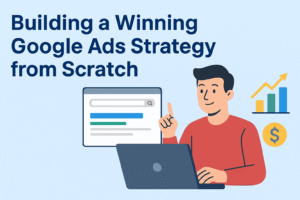
This guide will teach you how to build a winning Google Ads strategy from scratch. We will go step by step, using simple language, so you can understand and apply it even if you have no experience.
Why Google Ads is Important
Google Ads allows you to show your products or services to people who are already searching for them. Unlike traditional advertising, where you show your ad to everyone, Google Ads helps you target only those who are interested.
For example:
- If someone searches “buy running shoes online,” your ad for sports shoes can appear at the top of search results.
- If a user visits websites related to fitness, your display ad can remind them about your sports brand.
This makes Google Ads very effective and cost-friendly because you only pay when someone clicks on your ad.
Step 1: Define Your Goals
Before you run ads, you must know your goals. Ask yourself:
- Do I want to increase sales?
- Do I want to get more website visitors?
- Do I want to promote my brand?
- Do I want people to call my business?
Clear goals help you create the right type of campaign. For example:
- If your goal is sales, focus on Search Campaigns with strong keywords.
- If your goal is awareness, try Display or Video Campaigns.
Without goals, your ads will have no direction, and you may waste money.
Step 2: Understand Your Audience
To succeed in Google Ads, you must know who your customers are. Think about:
- What is their age group?
- Where do they live?
- What are their interests?
- What problems are they trying to solve?
Example: If you sell baby products, your audience is parents, mostly between the ages of 25–40. They may search for terms like “best baby stroller” or “organic baby food.”
Google Ads allows you to target people based on location, gender, device type, and interests, so knowing your audience is very important.
Step 3: Do Keyword Research
Keywords are the backbone of Google Ads. They are the words or phrases people type into Google. If you choose the wrong keywords, your ads will show to the wrong people.
Use tools like:
- Google Keyword Planner
- Ubersuggest
- SEMRush
Tips for choosing keywords:
- Focus on specific keywords (example: “affordable running shoes in New York” instead of just “shoes”).
- Look at search volume (how many people search for that keyword).
- Check competition level (how many advertisers are bidding on it).
Also, use negative keywords. These are words you don’t want your ad to appear for. Example: If you sell premium shoes, you may want to add “cheap” as a negative keyword.
Step 4: Choose the Right Campaign Type
Google Ads offers different types of campaigns. Each has its own purpose:
- Search Ads – Text ads that appear on Google search results. Best for direct sales and leads.
- Display Ads – Image ads shown on websites across Google’s partner network. Good for brand awareness.
- Video Ads – Ads that appear on YouTube. Great for storytelling and brand promotion.
- Shopping Ads – Product-based ads that show product pictures and prices. Best for e-commerce stores.
- App Promotion Ads – Ads designed to promote mobile apps.
Choose the one that matches your business goals.
Step 5: Create Compelling Ad Copy
Your ad text (copy) decides whether people will click or ignore your ad. A good ad should:
- Highlight benefits (not just features).
- Use clear call-to-action (like “Buy Now,” “Get Free Quote,” “Book Today”).
- Show unique selling points (free delivery, discounts, or guarantees).
Example:
Instead of writing: “We sell running shoes,”
write: “Buy lightweight running shoes – Free Delivery & 20% Discount Today!”
The second one is more attractive and action-driven.
Step 6: Optimize Your Landing Page
Getting clicks is only half the work. The real goal is to convert visitors into customers. For this, your landing page must be optimized.
A good landing page should have:
- A clear headline related to the ad.
- Easy navigation (no unnecessary links).
- Fast loading speed.
- Call-to-action button (Buy Now, Sign Up, Call Today).
- Trust signals like reviews, testimonials, or secure payment options.
If your landing page is slow or confusing, people will leave without taking action.
Step 7: Set Your Budget and Bidding Strategy
Google Ads works on a bidding system. You set how much you are willing to pay per click (CPC). The higher your bid and ad quality, the better your chances of appearing at the top.
Budget Tips:
- Start small (for example, $10–$20 per day).
- Track performance before spending more.
- Use automated bidding strategies if you are new (like Maximize Clicks or Target CPA).
Remember, success in Google Ads is not about spending the most money, but about spending smartly.
Step 8: Track and Measure Results
Google Ads gives you detailed reports on performance. You should track:
- Click-Through Rate (CTR) – How many people clicked on your ad.
- Conversion Rate – How many people actually bought or signed up.
- Cost Per Conversion – How much each sale or lead costs you.
Connect Google Ads with Google Analytics for deeper insights. This helps you see how people behave after clicking your ad.
Step 9: Test and Improve
A winning strategy is never perfect from the start. You need to test different options to see what works best.
Things to test (A/B Testing):
- Different ad headlines.
- Different call-to-action words.
- Different landing page designs.
- Different keywords.
Even small changes can make a big difference in results.
Step 10: Avoid Common Mistakes
Many beginners lose money because of common mistakes. Avoid these:
- Using broad keywords only (they bring irrelevant clicks).
- Not adding negative keywords.
- Sending ads to the homepage instead of a proper landing page.
- Ignoring mobile users (most searches now come from mobile).
- Not tracking conversions.
Extra Tips for Success
- Use Ad Extensions – Add extra information like phone number, address, or site links to make your ad more useful.
- Retargeting Campaigns – Show ads to people who visited your site but didn’t buy.
- Keep Learning – Google Ads updates its features often. Stay updated to keep your ads effective.
Conclusion
Building a winning Google Ads strategy from scratch takes planning, testing, and patience. The key is to set clear goals, know your audience, choose the right keywords, create strong ad copy, optimize your landing page, and track everything.
Remember, Google Ads is not just about getting clicks. It is about turning those clicks into sales, leads, or loyal customers. If you follow these steps and keep improving, you can create a powerful Google Ads strategy that brings long-term success for your business.