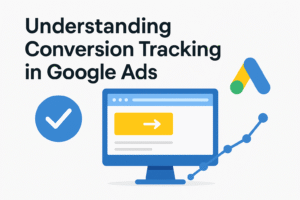
Running Google Ads can bring a lot of visitors to your website, but the real question is: are those visitors doing what you want them to do? Are they buying your product, signing up for your newsletter, or filling out your contact form? This is where conversion tracking comes in.
In simple words, conversion tracking tells you whether your ads are working or not. It helps you see what people do after clicking your ad and whether their actions are valuable for your business. Without conversion tracking, you might only know how many clicks your ads get, but not if those clicks are turning into sales or leads.
In this blog, we will break down everything you need to know about conversion tracking in Google Ads. We’ll keep the explanation simple and easy to understand so that even beginners can follow along.
What Is Conversion Tracking?
Conversion tracking is a free tool inside Google Ads that shows you what happens after someone interacts with your ad. A conversion is any action that you consider valuable. This could include:
- Buying a product on your website
- Signing up for your newsletter
- Filling out a form
- Downloading your app
- Calling your business
By setting up conversion tracking, you can measure these actions and understand the true performance of your advertising campaigns.
Why Is Conversion Tracking Important?
Many advertisers focus only on clicks or impressions, but clicks don’t always mean success. Imagine you spend money on 1,000 clicks, but only 5 people buy your product. If you don’t track conversions, you will never know the real return on your investment.
Here are some reasons why conversion tracking is important:
- Measures Success Accurately
It shows which ads and keywords are actually bringing sales or leads. - Helps in Budget Allocation
You can spend more money on ads that work and stop wasting money on ads that don’t. - Improves Bidding
Google Ads offers smart bidding strategies, like Target CPA (Cost per Acquisition) and Target ROAS (Return on Ad Spend), which only work properly if you have conversion data. - Provides Insights
Conversion tracking helps you understand customer behavior. For example, do people buy right after clicking your ad, or do they take a few days before deciding?
Types of Conversions You Can Track
Google Ads allows you to track different kinds of conversions. Let’s look at the main types:
- Website Actions
This includes purchases, sign-ups, form submissions, or any other action on your website. - Phone Calls
If your business relies on phone calls, you can track calls from ads, calls from your website, and even clicks on your phone number in mobile ads. - App Downloads and In-App Actions
For app-based businesses, you can track how many people install your app and what actions they take inside it (such as making a purchase). - Offline Conversions
If someone fills out a form on your website and later makes a purchase in your store or through a sales call, you can import these conversions into Google Ads. - Engagements
This includes actions like watching a video ad, clicking on a button, or engaging with content in specific ways.
How to Set Up Conversion Tracking in Google Ads
Setting up conversion tracking may look complicated, but it is not too difficult if you follow the steps carefully. Here’s a simple guide:
Step 1: Sign in to Google Ads
Log in to your Google Ads account.
Step 2: Go to Conversions
Click on the tools icon in the top menu, then select Conversions under the “Measurement” section.
Step 3: Create a New Conversion Action
Click the “+” button to create a new conversion action. Google will give you several options, such as Website, App, Phone Calls, or Import.
Step 4: Set Up the Conversion
- Choose the type of conversion (e.g., website purchase, sign-up).
- Name your conversion (for example: “Purchase – Shoes”).
- Assign a value if possible (like $50 per sale).
- Choose how to count conversions (every purchase or just one per click).
Step 5: Install the Tracking Tag
Google will give you a piece of code called a conversion tag. You need to add this code to your website or app where the conversion happens (for example, the “Thank You” page after a purchase).
Step 6: Verify and Test
After installing the code, test it by performing the action yourself (like filling out a form) to check if the conversion is recorded correctly.
Best Practices for Conversion Tracking
Simply setting up conversion tracking is not enough. To get the most out of it, you should follow some best practices:
- Assign Real Values to Conversions
If you sell products, add the actual sale value to your conversions. This helps you understand revenue and return on investment. - Track Multiple Conversions
Don’t just track purchases. Also track other important actions like newsletter sign-ups or calls. These may lead to sales later. - Use Google Tag Manager
If you are not comfortable adding code directly to your site, use Google Tag Manager. It makes managing tracking tags easier. - Monitor Regularly
Check your conversion reports often. Look at which campaigns, ads, and keywords bring the most conversions. - Optimize Based on Data
Use the information to adjust your bidding, pause weak ads, and create new ads that match your best-performing keywords.
Common Mistakes to Avoid
While using conversion tracking, many advertisers make simple mistakes that affect results. Here are a few to avoid:
- Not installing the tag properly: If the tag is missing or placed on the wrong page, conversions will not be tracked correctly.
- Tracking only one conversion type: Limiting tracking to only sales means you miss out on other important actions.
- Not updating tracking settings: Businesses change over time. Always update your tracking to match your current goals.
- Ignoring conversion lag: Some conversions don’t happen immediately. Don’t judge performance too quickly.
How Conversion Tracking Improves Your Ads
Conversion tracking is not just about measuring results—it directly improves your ad performance. Here’s how:
- Better Ad Copy: You will know which messages encourage people to take action.
- Smarter Keyword Selection: Keywords that don’t bring conversions can be removed.
- Higher ROI: Spending money only on high-performing ads means more profit.
- Automated Bidding: With conversion data, Google can automatically adjust your bids for better outcomes.
Final Thoughts
Understanding conversion tracking in Google Ads is one of the most important steps for any advertiser. Without it, you’re running ads blindly. With it, you gain clear insights into what works and what doesn’t.
By setting up conversion tracking properly, you can make smarter decisions, improve your ad performance, and increase your return on investment. Remember to track different types of conversions, assign values whenever possible, and check your reports regularly.
In the end, Google Ads becomes far more powerful when you know exactly which clicks are turning into valuable actions. Conversion tracking is not just a tool—it is the backbone of a successful advertising strategy.
If you are new to Google Ads, take some time to set up conversion tracking today. It may take a little effort at first, but the long-term benefits are worth it.